
Troubleshooting Errors in Submitting or Uploading a Story
A Guide to Fixing Issues in Uploading or Submitting a Story.
📍 Contributors & Field Reporters: Fixing issues when uploading or submitting a story.
🔑 You must be signed in to Folktale.
Common Uploading Issues
If you're having trouble uploading your shots, Folktale will provide you with an error message explaining possible reasons for the issue:
Connection Issue

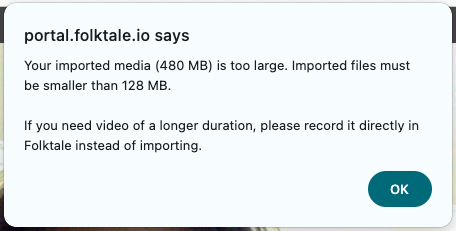
Imported File Size is Too Large
How to Troubleshoot the Issue
Check Your Connection
- Visit Check My Connection.
- Review your connection to Folktale.
If your connection to Folktale is inconsistent, try finding a different stable network and retry uploading multiple times at different times.
💡 Tip: To prevent data loss, we recommend downloading and saving your recorded clips to your device.
Check Your Imported File Size
If you import a video from your device, the file size must be less than 128 MB. If your video is larger, compress it using one of these free options:
- For Beginners (Mac only):
- Open the video in QuickTime Player.
- Click File.
- Click Export As.
- Select a resolution.
- For Beginners (Mac/PC): Handbrake
- For Intermediate Users (Mac/PC): DaVinci Resolve
Once compressed, try reimporting your video and ensure you have a stable internet connection before uploading.
Contact Support
Need more help? Send the following details to support@folktale.io or use the chat widget at the bottom right of your screen:
- Screenshot(s) of the issue (error messages, etc.).
- Did you record the video on Folktale or your phone’s camera? How long is the video?
- What type of connection were you on? (mobile 4G, hotel Wi-Fi, office network, etc.).
- What type of phone did you use? (Android or iPhone?).
- What type of browser did you use? (Chrome or Safari?).
Our support team will investigate and follow up within 24 hours.